

Overview: your operator at a glance
The status card, the four numbers, naming its mailbox, reading its server health, and what to actually do on day one.
Overview is the front page of your portal and the honest answer to "is this thing set up yet". Everything on it is read from your operator's own server rather than from anything we keep on our side, so what you see is what is actually true of the machine doing the work.
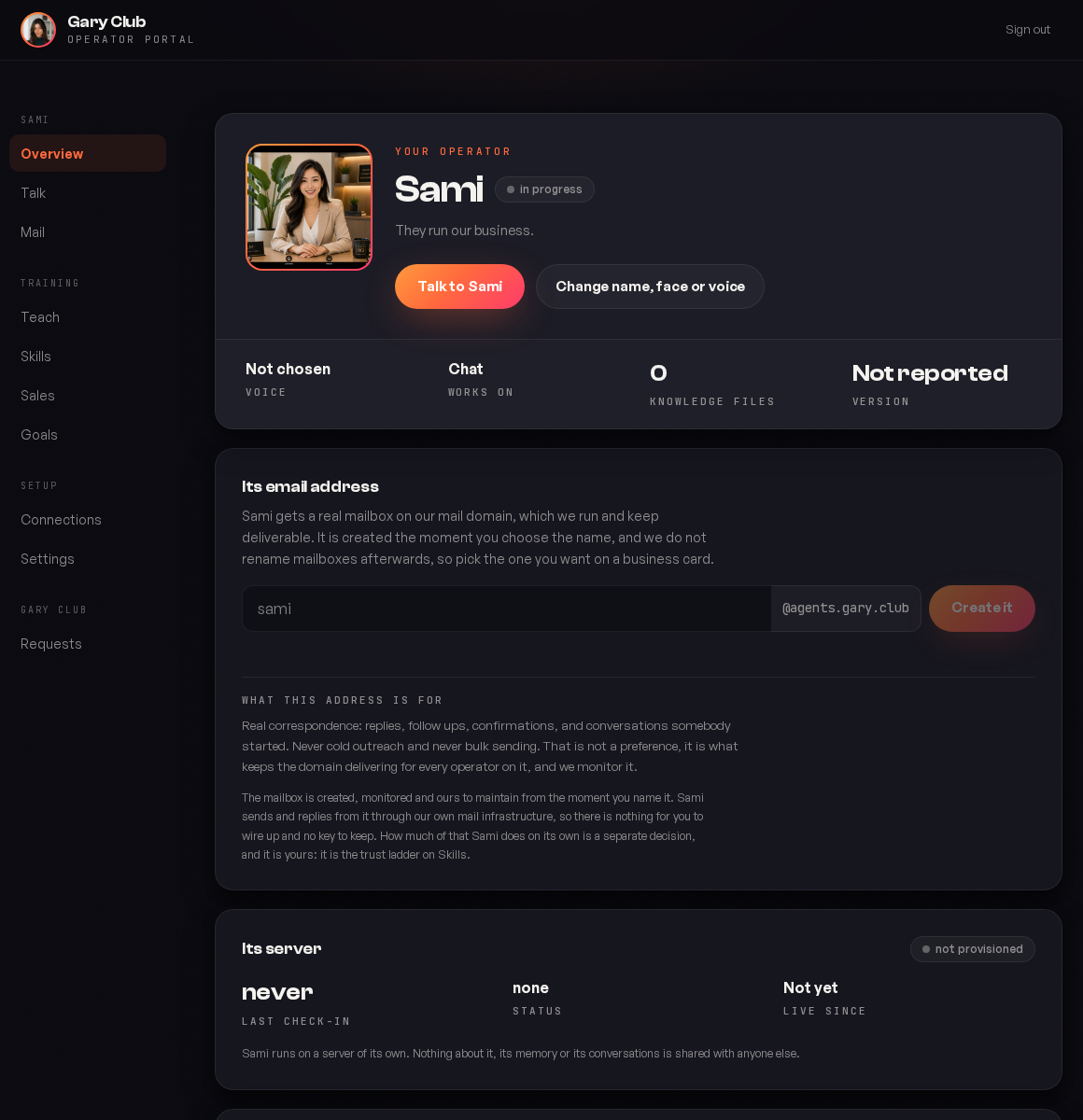
The card at the top
Your operator's face, its name, and a status pill. The name and face were set in your identity session and are not cosmetic: they are what it introduces itself as on email, on the phone and in chat, and they do not drift between those places.
| Status | What it means |
|---|---|
| in progress | The identity is designed but something is still missing before it can work. The rest of this screen tells you what. |
| live | Named, provisioned, checking in, and doing work. |
Change name, face or voice reopens the identity session. Changing a name is a real change: it is on emails people have already received, so it is worth doing once, properly, rather than iterating in public.
The four numbers
| Stat | What to read into it |
|---|---|
| Voice | Which voice it uses on calls, or Not chosen. It cannot take a call without one. |
| Works on | The surfaces it is live on. Chat on its own means email and phone are not wired up yet. |
| Knowledge files | How many documents it has been given. Zero is normal on day one and a problem by week two: an operator with no knowledge answers from the character alone. |
| Version | What software your box is running. Not reported means it has not checked in recently. |
Its email address
Your operator gets a real mailbox on our mail domain, which we run and keep deliverable. You pick the name here.
Pick the one you want on a business card. The mailbox is created the moment you choose, and we do not rename mailboxes afterwards. Renaming would strand every reply heading back to the old address, so this is deliberately a one way door.
What the address is for, and what it is not for:
| Yes | No |
|---|---|
| Replies to people who wrote in | Cold outreach |
| Follow ups on a live conversation | Bulk sending |
| Confirmations and answers | Anything a stranger did not ask for |
That is not a preference, it is what keeps the domain delivering for every operator on it, and we monitor it. Cold outreach is a different job on different infrastructure, and if you want it, ask on Requests.
There is nothing for you to wire up and no key to keep. The mailbox is ours to run from the moment you name it. How much your operator does with it on its own is a separate decision and it lives on Skills.
Its server
Your operator runs on a machine provisioned for you and nobody else. This section is the health of that machine.
| Field | Healthy | Worth asking about |
|---|---|---|
| Last check in | Minutes ago | Hours ago, or never |
| Status | provisioned | not provisioned, after your go live date |
| Live since | A date | Not yet, once you are paying |
Nothing about it, its memory or its conversations is shared with anyone else. See where your data lives.
A stale check in is the single most useful thing on this page. If the number stops moving, tell us rather than waiting: we watch for it too, but you will often notice before an alarm does.
What to do on day one
Name the mailbox
It takes ten seconds and it is the thing most likely to be forgotten until the day you need it.
Open Teach and give it three documents
Your offer, your pricing, and the objections you hear most. Knowledge files at zero is the difference between an operator that sounds like you and one that sounds generic.
Read Skills without changing anything
Learn what the nine jobs are while everything is still in shadow.
Connect the one system your business actually runs on
Usually the CRM. One good connection beats six half ones.
Reading the status honestly
The combination of the status pill and the four numbers tells you exactly where you are in setup, and it is worth learning to read as a set rather than one field at a time.
| What you see | Where you actually are |
|---|---|
| in progress, Knowledge files 0, Works on: Chat | Day one. Named, nothing taught, nothing connected. Entirely normal. |
| in progress, Knowledge files 12, Works on: Chat | It knows your business and has no way to reach anyone. Name the mailbox. |
| live, Knowledge files 0 | The most awkward state there is. It can reach your customers and has nothing specific to say. Go to Teach today. |
| live, last check in hours ago | Something is wrong with the box. Tell us. |
| live, Version: Not reported | It has not checked in recently enough to say. Same as above. |
Live with zero knowledge files is the state to avoid. An operator that can email your customers but has never been told your pricing will be warm, fluent and unhelpful, and the customer will notice.
Changing the name, face or voice later
You can, and it reopens the identity session. It is worth understanding what does and does not follow the change.
| Changes everywhere | Does not change |
|---|---|
| What it calls itself from now on | Emails already sent |
| Its face in the portal and the room | What customers already learned to call it |
| Its voice on future calls | Anything printed or scheduled |
Change it once, early, and properly. A customer who built a rapport with a name over three months does not enjoy discovering it is now something else, and there is no way to rewrite the emails they already have.
Why the mailbox name is a one way door
We create it the moment you choose and we do not rename mailboxes afterwards. That sounds inflexible until you consider the alternative: every reply heading back to the old address would land nowhere, including replies to conversations that were going well.
So spend a minute on it. The test is whether you would put it on a business card.
The mailbox we run is on our domain, which we keep deliverable and monitor. Sending as your own domain is separate work with its own DNS setup. Ask on Requests.
The surfaces it is live on right now. Chat alone means email and phone are not wired up. It is read from the box rather than from what you have paid for.
Usually because the identity has not been applied yet, which is the step that turns a server into your operator. If you have completed the identity session and it still says this, tell us.
No. We keep the fleet current. It is there so that when you report something odd we can both see what you are running.
Was this page helpful?